
20 Home Office Setup Ideas That Boost Productivity Instantly

A well-designed home office does more than look nice. It changes the way you work. The right combination of ergonomics, organization, lighting, and personalization reduces friction, minimizes distractions, and primes your brain for focused work.
Whether you have a full spare room, a corner in the living room, or only a small desk, thoughtful choices can create an environment that improves posture, streamlines workflows, and boosts energy.
This listicle walks through practical, high-impact setup ideas you can implement quickly, with concrete tips and real examples to help you prioritize what will make the biggest difference for your unique needs.
1. Ergonomic Throne: Invest in the Right Chair
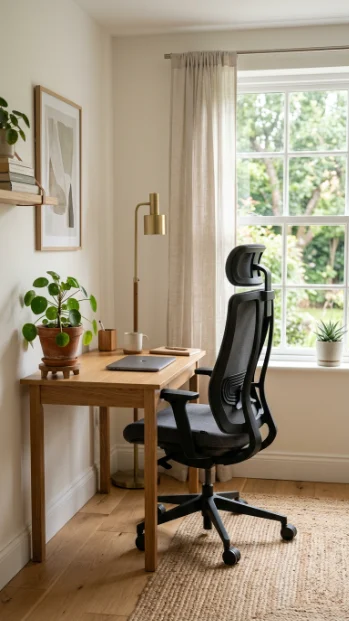
A chair is the cornerstone of any productive home office. Spend money here before splurging elsewhere. An ergonomic chair supports neutral spine alignment, adjustable lumbar support, seat depth, arm height, and recline tension.
For example, testers who switched from a generic office chair to one with adjustable lumbar and seat height reported reduced back fatigue and fewer mid-afternoon breaks.
Practical tips: set seat height so feet rest flat with knees at ~90 degrees; adjust lumbar support to fill the lower back curve; use armrests to relax shoulders but keep elbows close to the body while typing.
If the budget is limited, add a lumbar cushion and a washable seat pad to improve posture immediately. Real example: freelancers who replaced a dining chair with a mid-range ergonomic chair found they could extend focused work blocks from 45 to 90 minutes thanks to reduced discomfort. Investing in a quality chair pays off in reduced breaks and better concentration.
2. The Standing-Desk Swap: Alternate for Energy
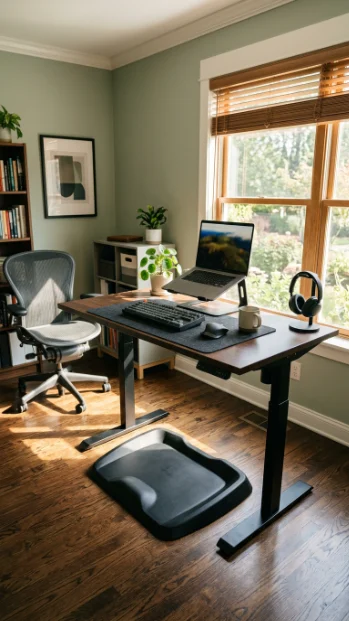
Incorporating a sit-stand desk into your routine combats stiffness and midday drowsiness. Alternating between sitting and standing every 30–60 minutes improves circulation and keeps you mentally alert.
For practical implementation, start with short standing stints (5–10 minutes) and build up; use reminders like a phone alarm or a productivity app to switch positions.
Real examples include marketers and coders who reported feeling more energized and alert after adopting electric height-adjustable desks (e.g., Jarvis, Uplift), especially when combined with anti-fatigue mats.
Calibrate your desk so monitors are at eye level when standing, elbows form a 90-degree angle while typing, and your weight is evenly distributed between feet.
If an electric sit-stand desk isn’t an option, place a stable riser on your existing desk and set up a keyboard tray to maintain typing ergonomics. Consistency is key. Alternating positions frequently, not standing for long rigid stretches, yields the most benefits.
3. Dual & Ultrawide Monitors: Expand Your View
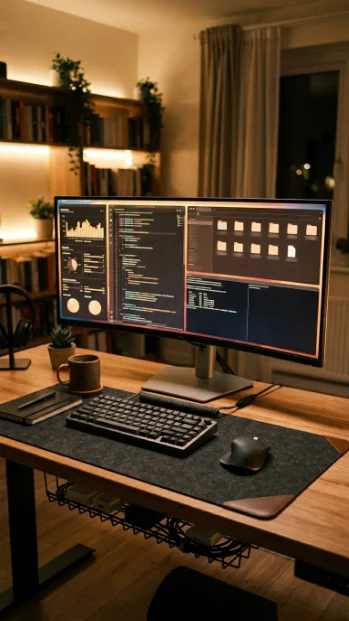
More screen real estate directly reduces context-switching and window juggling. Dual monitors or an ultrawide display let you keep reference materials visible while you work, improving flow and lowering time spent alt-tabbing.
Practical tips: designate a primary monitor for editing or main tasks and a secondary for research, communication tools, or monitoring dashboards.
For example, copywriters often use an ultrawide monitor to draft on one side while keeping research sources visible on the other, cutting research-to-write friction. Match monitor heights and angles with a riser or adjustable arms to prevent neck strain.
When using a laptop, add a vertical secondary monitor for code or long documents; many developers prefer a vertical 24″ as a second screen for logs. If budget is a concern, repurpose a TV or an old monitor as a secondary screen.
Calibrate scaling and color settings for legibility. The right multi-monitor setup can save minutes every hour, compounding into significant productivity gains.
4. Keyboard, Mouse & Peripheral Ergonomics
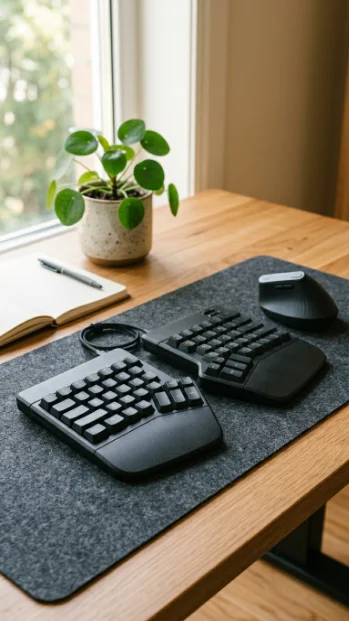
Small peripherals have a big impact on comfort and speed. A well-chosen keyboard and mouse reduce wrist strain and improve typing accuracy, increasing productivity over long sessions.
Practical tips: choose a low-profile or split keyboard to keep wrists neutral; ergonomic mice or vertical mice reduce pronation and forearm tension; customize keycaps, macros, and shortcuts for repetitive tasks.
Real-world examples: designers often program macro keys for common Photoshop actions, saving minutes per task, and programmers customize IDE shortcuts on mechanical keyboards for faster navigation.
Wireless peripherals reduce cable clutter, but ensure reliable Bluetooth or dongle performance to prevent lag; keep a wired backup for mission-critical tasks.
Pair a wrist rest with good posture rather than relying on rests to prop bad ergonomics. Investing in quality peripherals tailored to your workflow pays dividends in comfort, fewer pauses to stretch, and measurable speed improvements on repetitive work.
5. Cable-Free Workspace: Tame the Wires
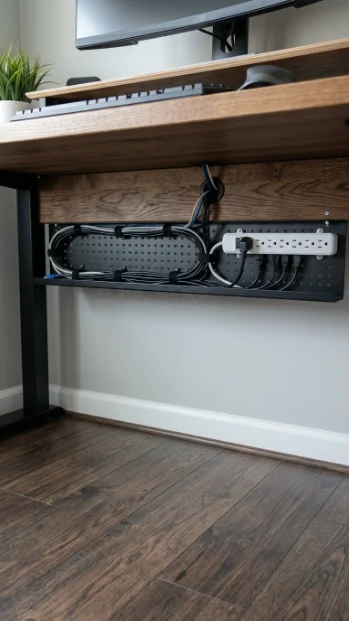
Unruly cables create visual noise and hidden frustration, especially when you need to plug and unplug devices quickly. A tidy cable strategy improves focus and reduces setup time.
Practical tips: use a cable tray under the desk to route power strips, employ cable sleeves or Velcro ties for bundling, and label both ends of frequently swapped cords.
Real examples: consultants who travel with docks use color-coded tags and a small pouch to keep power adapters and cables organized, cutting setup time from 10 minutes to under 2.
For frequently used devices, mount a USB hub on the desk edge or use a magnetic connector to minimize repeated cable wrestling. Hide power strips behind furniture and keep surge protection accessible; test cable lengths before permanent routing to avoid tension.
A cleaner workspace visually signals order and makes transitioning between tasks or devices seamless. Small investments in cable management often lead to immediate time savings and less distraction.
6. Lighting That Keeps You Focused
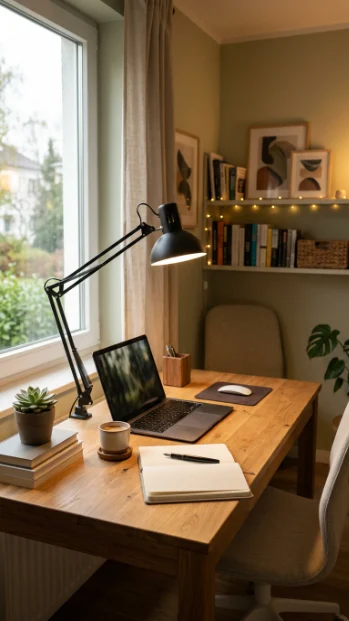
Proper lighting reduces eye strain, boosts mood, and synchronizes your body clock. Aim for layered lighting: ambient overhead light, task lighting for focused work, and adjustable accent lighting for mood.
Practical tips: position task lights to avoid screen glare (left side if right-handed), use daylight-balanced bulbs (~5000K) for alertness during daytime, and warmer tones in the evening to wind down.
Real-life examples: remote workers using adjustable LED desk lamps (e.g., BenQ e-Reading or Philips Hue lamps) reported fewer headaches and better concentration during long editing or coding sessions.
Consider bias lighting behind monitors to reduce eye fatigue when viewing bright screens in darker rooms. Add smart bulbs or tunable white setups to automate light intensity changes throughout the day, aligning lighting with natural circadian rhythms. Good lighting is an inexpensive upgrade that yields immediate comfort and longer productive stretches.
7. Biophilic Boost: Add Plants & Natural Elements
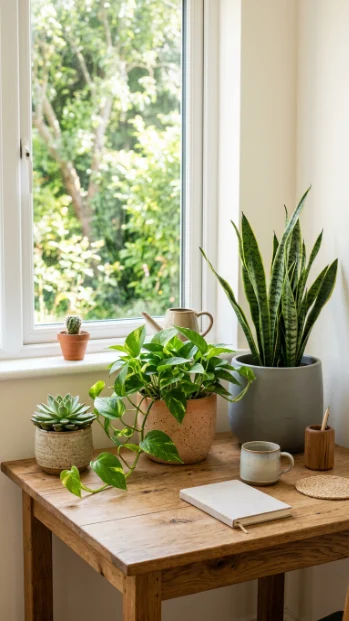
Plants improve air quality, reduce stress, and provide subtle visual interest that keeps you engaged. Even small succulents or a snake plant can brighten the environment and improve perceived well-being.
Practical tips: choose low-maintenance plants like pothos, ZZ, or snake plant if you have low light; place a medium-sized plant near a window to anchor the workspace; use plant stands or hanging planters to save desk space.
Real examples: a survey of home workers showed increased satisfaction and reduced perceived stress after adding living greenery to their workspace. Practical care: use self-watering pots or watering globes if you travel; rotate plants monthly for even growth; keep a small spray bottle for humidity-loving plants.
Beyond plants, biophilic elements include natural wood textures, stone coasters, or framed landscape prints. Integrating nature cues subtly restores cognitive resources and can help you recover focus faster between tasks.
8. Color & Visual Design to Improve Focus
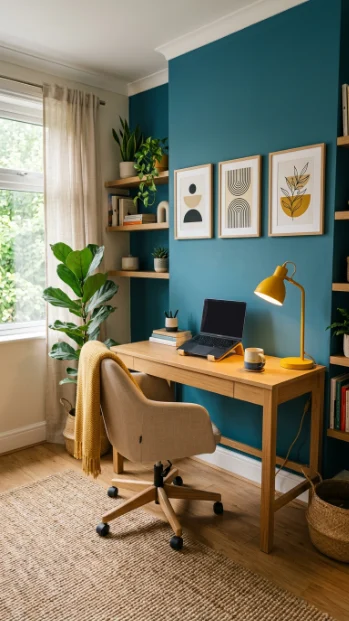
Color psychology shapes mood and cognitive performance. Choose a palette that supports your work style. Cooler tones like blues and greens are calming and conducive to analytical tasks, while warm accents (yellow/orange) can boost creativity.
Practical tips: use a neutral base for major furniture, add one accent color for energy, and avoid overly busy wallpaper behind your main workspace to reduce visual noise.
Real examples: writers and creatives often add a warm accent wall or art piece to stimulate ideas, whereas analysts prefer muted tones to reduce distractions.
Test small changes: swap cushions, a rug, or lamp shades to evaluate different color effects quickly. Use matte finishes to reduce glare and contrast levels to keep the workspace visually restful. Design for clarity. Consistent, restrained color use reduces cognitive load and supports longer periods of focused work.
9. Acoustic Control: Quiet for Concentration
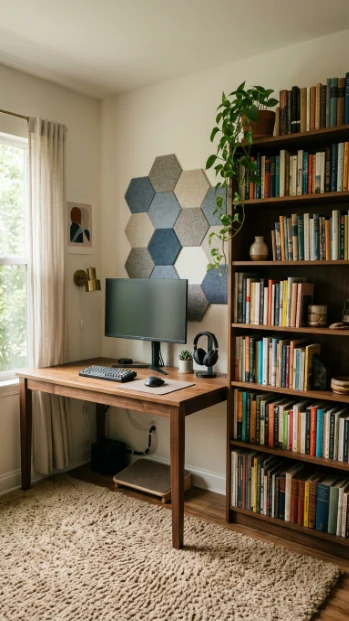
Noise is a hidden productivity killer. Acoustic treatments and behavioral strategies help you concentrate and reduce interruptions.
Practical tips: use thick curtains, rugs, and bookshelves as natural sound absorbers; add small acoustic panels or foam behind the desk for high-frequency noise; use a white noise machine or app to mask intermittent sounds.
Real examples: podcasters and remote meeting-heavy professionals often install a few fabric-covered panels behind their desk for clearer audio and reduced echo; those in noisy apartments find reorienting the desk away from street-facing windows reduces distractions.
If you share space, use a set schedule for calls and place a visible, polite sign or signal when you’re in a meeting. Headphones with active noise cancellation are a flexible solution for blocking constant background noise.
Combine them with ambient playlists for focus. Effective acoustic strategies reduce task switching brought on by sound disturbances, enabling longer uninterrupted work sessions.
10. Dedicated Zones: Work, Call, and Break Areas
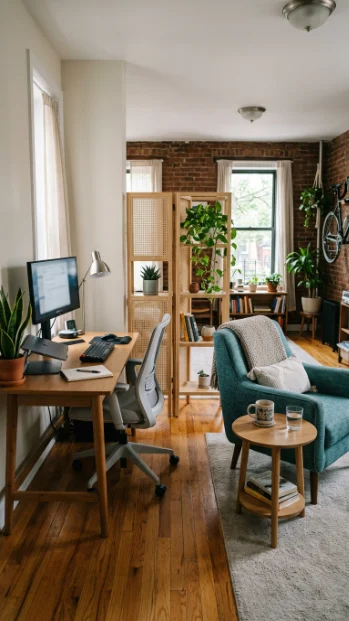
Segmenting your space mentally and physically makes transitions smoother and keeps work from bleeding into life. Create a primary work zone for focused tasks, a separate area for video calls, and a mini-break corner for rest.
Practical tips: even in small spaces, use a rug, room divider, or shelf to visually separate zones; dedicate a different chair for breaks to avoid work posture in rest time.
Real examples: remote workers in studio apartments place a compact foldable table near a window for calls and keep the main desk reserved for deep work. This simple separation cues the brain to shift contexts.
For calls, ensure good background, lighting, and microphone placement to minimize setup time. For breaks, include a comfy chair, a small bookshelf, or a yoga mat and timer to make short restorative breaks intentional.
Clear zones reduce the friction of context switching and help maintain boundary hygiene between work and relaxation.
11. Vertical Storage & Wall-Mounted Solutions
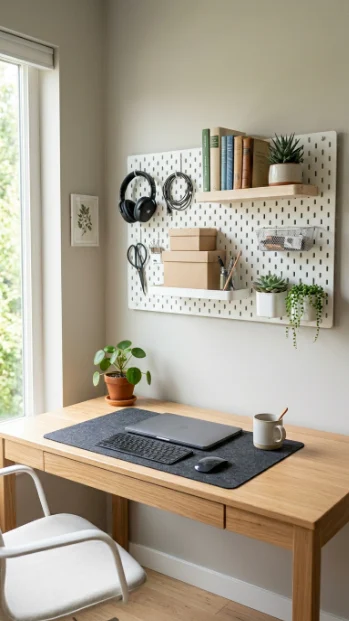
Go vertical to reclaim floor and desk space. Wall-mounted shelves, pegboards, and floating cabinets keep essentials accessible without causing clutter.
Install a pegboard above the desk for frequently used tools, hooks for headphones, and small baskets for cables; mount a shallow shelf for reference books and rotating decor; use magnetic strips for metal tools like scissors.
Real examples: designers often use a wall grid to display swatches and mood board elements, while hybrid workers mount a fold-down desk in a small room to free space when not in use.
Wall-mounted organizers also improve ergonomics by keeping items within reach, reducing the need to stand up for frequently used supplies.
Before drilling, consider adhesive-mounted options if renting, and plan cable routing for monitors and lights to keep a clean aesthetic. Vertical organization increases usable workspace and fosters a more intentional, distraction-free environment.
12. Minimalist Desk Setup: Less Is More
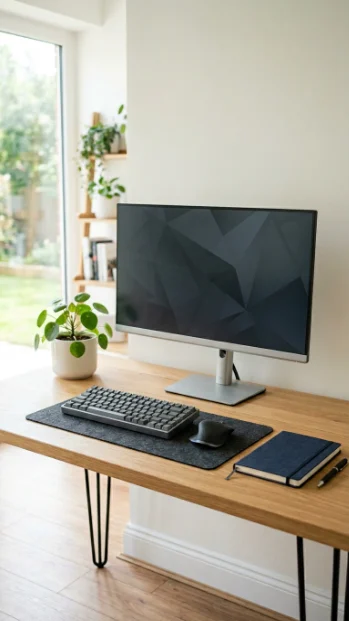
A minimalist desk clarifies priorities and minimizes decision fatigue. Keep only daily essentials on the surface: monitor, keyboard, mouse, a notebook, and one personal item.
Use drawer organizers to hide supplies, employ a single catch-all tray for small items, and adopt a daily “reset” ritual to clear the desk before finishing work.
Real-world examples: executives and writers who adopt a minimalist surface report quicker ramp-up at the start of the day and fewer distractions. Implement the 80/20 rule. If an item hasn’t been used in 20 days, relocate it to storage.
Use neutral desk accessories and one accent object (a plant or framed photo) to maintain personality without clutter. Minimalism also extends digitally: streamline your desktop and browser tabs to match the physical simplicity. The mental clarity from a decluttered desk helps you focus on the work that matters.
13. Docking Station & Tech Hub for Seamless Switching
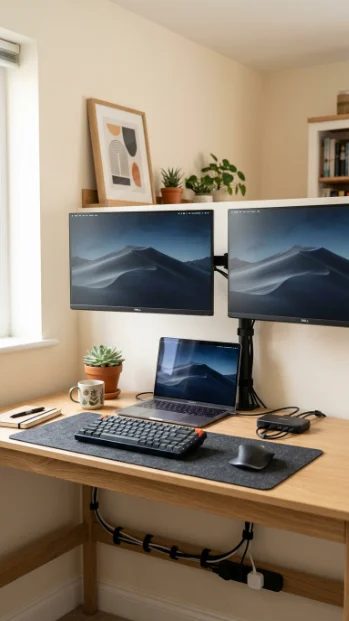
A one-plug docking station reduces setup friction for laptop-based workflows and enables fast transitions between home and mobile work. Use a multi-port dock to centralize power, external displays, Ethernet, and peripherals.
Practical tips: choose a dock that supports your laptop’s charging requirements and dual-monitor outputs; label ports for frequent devices; set up hotkeys for switching audio outputs during calls.
Real examples: consultants who move between client sites and home use a Thunderbolt dock to plug into one cable that restores dual monitors, keyboard, mouse, and storage instantly, shaving setup time dramatically.
For Mac users, confirm compatibility with USB-C/Thunderbolt; Windows users may prefer docks that support DisplayPort MST for multiple displays.
Keep the dock under the desk to minimize visible clutter and mount a short cable channel to the laptop area. A properly configured tech hub makes context changes instantaneous and reduces the cognitive load of reconnecting multiple devices.
14. Monitor Arms & Adjustable Mounts
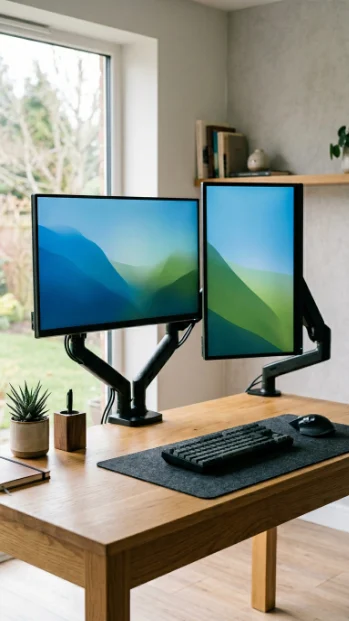
Monitor arms free up desk space and let you position screens for optimal ergonomics and multi-tasking. They provide height, tilt, and swivel adjustments for personalized viewing angles.
Align the top of the monitor at or slightly below eye level, keep the monitor about an arm’s length away, and angle secondary monitors inward for a curved field of view.
Real examples: software developers using dual monitor arms reported reduced neck strain and more comfortable multi-window workflows, while video editors found monitor arms essential for fine-tuning color-graded displays.
Choose arms rated for your monitor’s weight and VESA mount compatibility; clamp-mounted arms work well on thin desks while grommet mounts are sturdier for heavy setups.
Monitor arms also make it easy to share the screen by quickly rotating it toward a colleague during collaborations. A small investment in adjustable mounts enhances ergonomic comfort and creates more usable desk surface.
15. Smart Desk Accessories: Clocks, Timers, & Planners
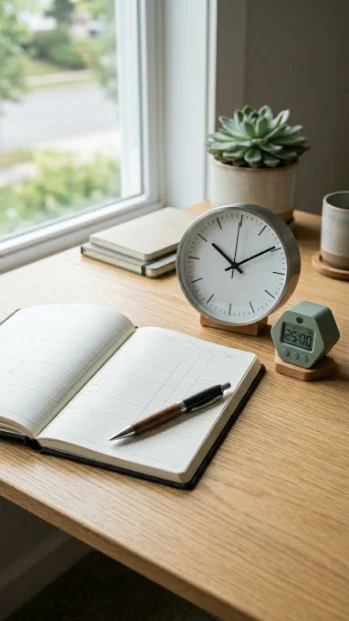
Tools that help you track time and structure work reduce procrastination and encourage productive sprints. Use visible timers, analog clocks, or Pomodoro apps that integrate with your workflow.
Set a visible 25–50 minute timer for deep work blocks and a distinct alarm for breaks; use a simple magnetic whiteboard for daily priorities; keep a physical planner for one-sentence daily goals to minimize context-switching.
Real examples: writers and consultants who pair a physical timer with a digital task list report finishing priority tasks more consistently; a team lead used a whiteboard for daily stand-up notes, decreasing meeting time by 20%.
Consider a desk clock with a secondary color for break reminders or a minimal hourglass for tactile focus cues. The right mix of analog and digital accessories creates structure around your work rhythm and reduces reliance on mental reminders, helping you maintain momentum.
16. Portable, Modular Setup for Flexibility
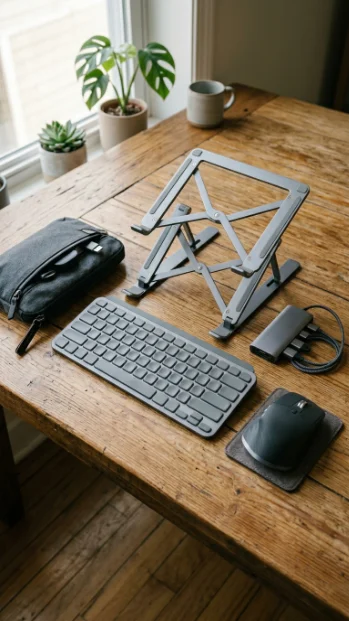
A modular setup gives you freedom to change locations when needed. Ideal for households with interruptions or for those who enjoy working in different rooms.
Use a lightweight laptop stand, a compact keyboard, and a small USB hub in a dedicated pouch. Create a “grab-and-go” kit with chargers, a mouse, and dongles; use a small foldable table or lap desk for occasional relocation; choose wireless peripherals that can pair with multiple devices.
Real examples: parents who move between the kitchen table and a home office during the day benefit from a short setup time and can maintain continuity by using cloud-synced profiles. Store the kit in a labeled basket for quick access.
If you use video calls from different rooms, include a portable ring light and clip-on microphone for quick setup. Portability reduces resistance to working in more comfortable or quieter areas and lets you adapt your environment to different tasks.
17. Comfortable Flooring: Anti-Fatigue Mats & Rugs
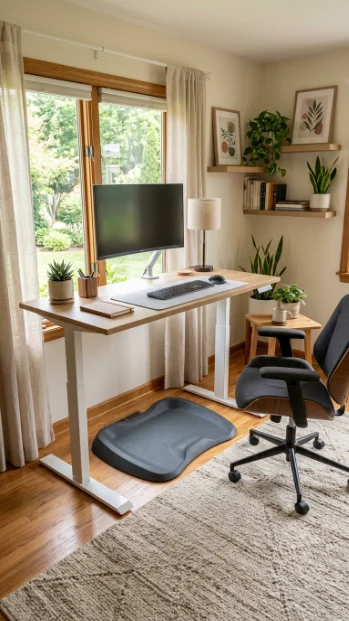
Flooring matters, especially if you stand frequently or want a warmer, more comfortable workspace. An anti-fatigue mat reduces lower-leg and back strain during standing work, while rugs add warmth and sound absorption.
Choose an anti-fatigue mat with durable, easy-to-clean surface and adequate thickness for energy return; place a rug under a seated area to anchor the workspace and absorb ambient noise.
Real examples: remote workers who added anti-fatigue mats to their standing desks reported less leg fatigue after prolonged standing sessions, enabling more frequent sit-stand transitions.
For smaller spaces, a narrow runner can provide cushioning without dominating the room. Be mindful of tripping hazards: tape down rug edges or use non-slip pads. Comfortable flooring encourages varied postures and helps you sustain longer blocks of focused work without physical discomfort.
18. Personal Inspiration & Vision Board
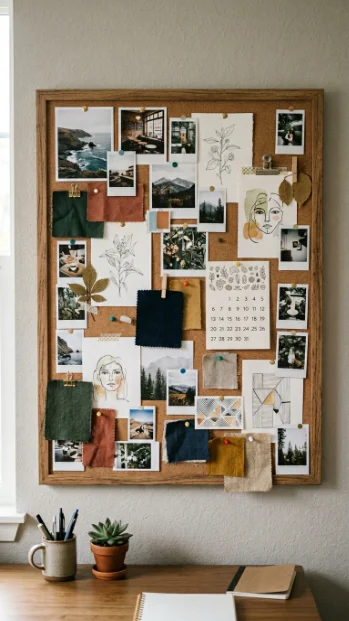
A small, curated inspiration area can motivate creativity and clarify long-term goals. Use a vision board, mood board, or a rotating collection of images and notes that reflect projects and aspirations.
Keep the board modest in size near your peripheral vision to spur motivation without becoming a distraction; rotate items monthly to maintain freshness; mix tangible items (postcards, fabric swatches) and digital captures printed as photos.
Real examples: entrepreneurs use vision boards to visualize revenue targets and milestone visuals, while designers pin current project references to stay aligned with client briefs.
Use magnetic strips or a cork board for flexibility and easy swaps. The key is intention. The board should reinforce priorities and remind you why the work matters, which can be especially helpful during low-energy stretches or long projects.
19. Air Quality & Scent: Breathe Better, Work Better
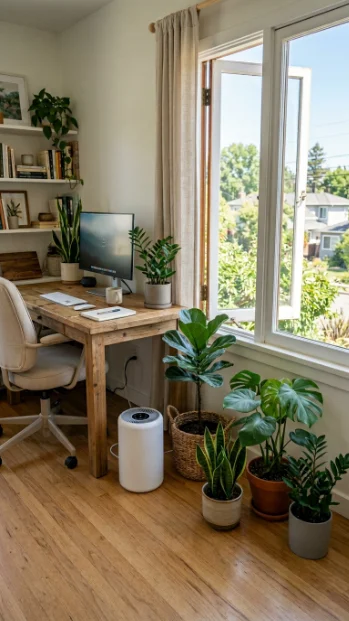
Air quality affects cognition and comfort. Improving ventilation, controlling humidity, and removing stale odors make long workdays easier. Open windows periodically for fresh air, use a small HEPA air purifier to reduce particulates if you’re in a city, and maintain indoor plants that support air quality.
Use subtle scents like citrus or peppermint diffusers during daytime to boost alertness and switch to calming lavender in the evening.
Real examples: remote workers who added an air purifier reported fewer headaches and increased alertness on high-pollen days, while people sensitive to indoor scents found natural essential oil diffusers preferable to synthetic sprays.
Regularly clean HVAC filters and dust surfaces; consider a hygrometer to monitor humidity and avoid overly dry environments that lead to throat irritation. Clean, well-circulated air supports focus, reduces sickness-related productivity dips, and improves overall comfort.
20. Routine-Friendly Layout & Visual Workflow
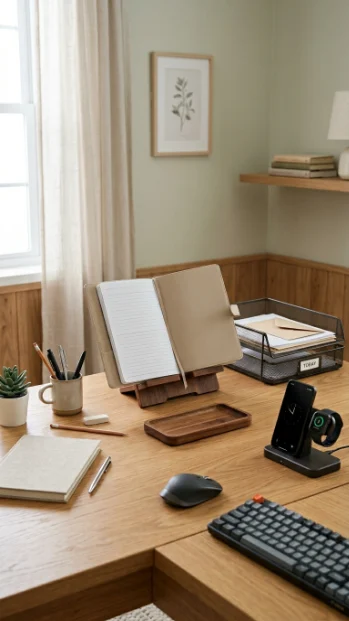
Design your space to make routines effortless: place frequently used items within arm’s reach, create a visible task flow, and incorporate morning and shutdown rituals into the physical layout.
Put your calendar or daily checklist where you look first (monitor side, wall), position a dedicated inbox tray for physical papers, and set up a charging station where devices rest overnight.
Real examples: project managers who built a visible “today” area on their desk found meetings ran smoother and priorities stayed clearer; those who keep their planner open on a stand reduce morning decision fatigue.
Consider a small shelf for “done” items to give a sense of progress, and use consistent storage locations for receipts and notebooks. A layout optimized for your daily rituals reduces decision-making overhead and automates habit formation, enabling you to transition quickly between states of focus and rest.
